Configure the Claude Code Plugin in VS Code with XAI Router
Posted September 29, 2025 by XAI Technical Team ‐ 2 min read
In addition to using Claude Code in the terminal, you can integrate it seamlessly into Visual Studio Code and code directly in the editor through XAI Router's unified API.
Get an XAI Router API key first
Go to the XAI Router Console to sign up or sign in, review available plans, and get an API key. This guide uses
Go to the XAI Router Console to sign up or sign in, review available plans, and get an API key. This guide uses
https://api.xairouter.com as the API Base URL; pair it with the key issued by that console.Step A: Install the Claude Code Plugin
Install the official Claude Code Plugin
Step B: Configure the Plugin to Use XAI Router
Configure the VS Code plugin with XAI Router's service endpoint and the API key issued by the console.
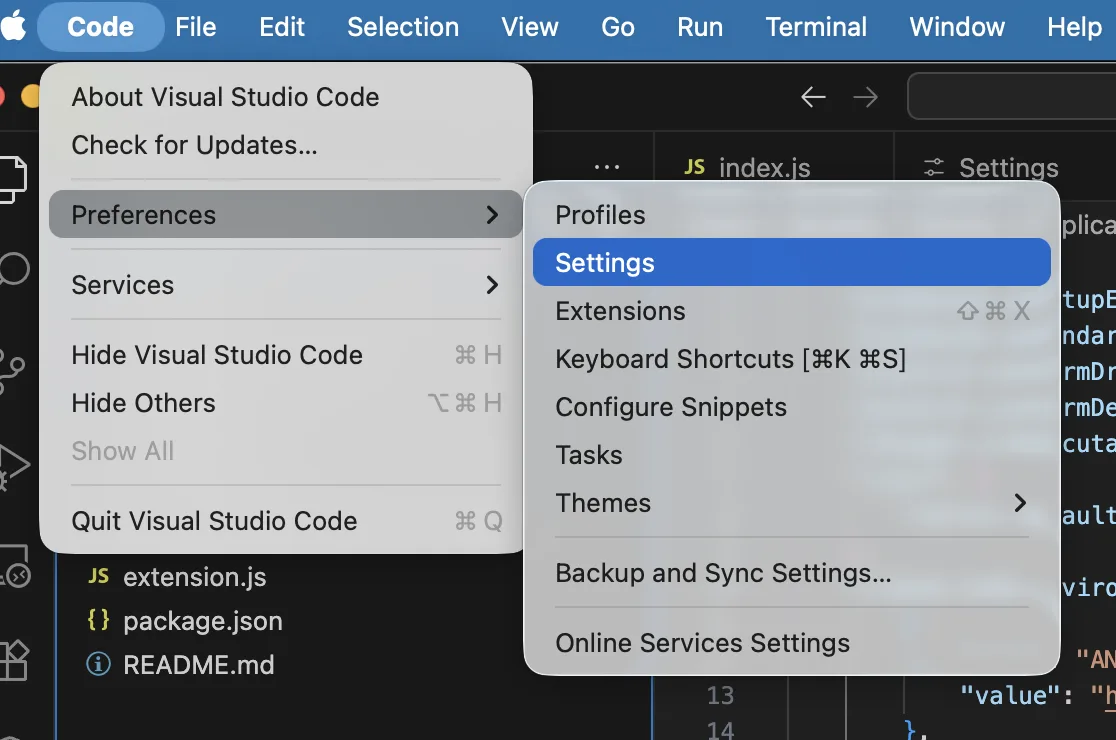
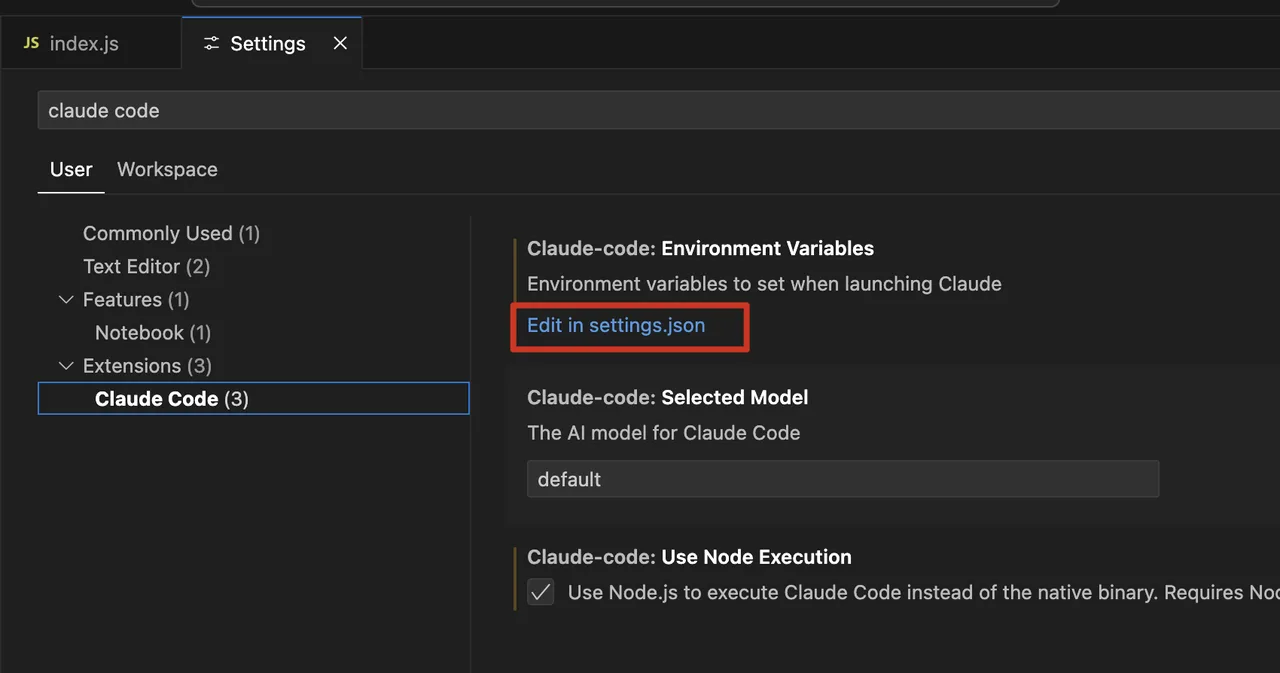
1. Configure the Service Endpoint and API Key
- Open VS Code settings (shortcut
Ctrl+,orCmd+,). - Type
claudeCode.environmentVariablesin the search box. - Under the matching setting, click "Edit in settings.json".
- Add the following JSON block to your user
settings.jsonfile. If the setting already exists, merge the entries carefully.
"claudeCode.environmentVariables": [
    {
        "name": "ANTHROPIC_BASE_URL",
        "value": "https://api.xairouter.com"
    },
    {
        "name": "ANTHROPIC_AUTH_TOKEN",
        "value": "Your XAI API Key"
    }
]- Replace
Your XAI API Keywith the real API key obtained from the XAI Router Console. - Treat the API key as a secret. Do not commit a
settings.jsoncontaining the real key to a repository or share it with anyone else. - If the extension still shows a sign-in prompt, enable Disable Login Prompt in the Claude Code extension settings; this option is only needed when using a third-party API endpoint.
Step C: Restart and Start Using Claude Code
- Completely exit and restart VS Code so the environment variables and authentication settings take effect.
- Click the Claude icon in the VS Code Activity Bar to open the chat panel and start a conversation.
- Claude Code is now ready in VS Code. Model requests are sent to
https://api.xairouter.comand authenticated with your XAI Router API key.