Codex for (Almost) Everything: OpenAI Expands Codex Across the Full Developer Workflow
Posted April 16, 2026 by XAI Tech Team ‐ 9 min read
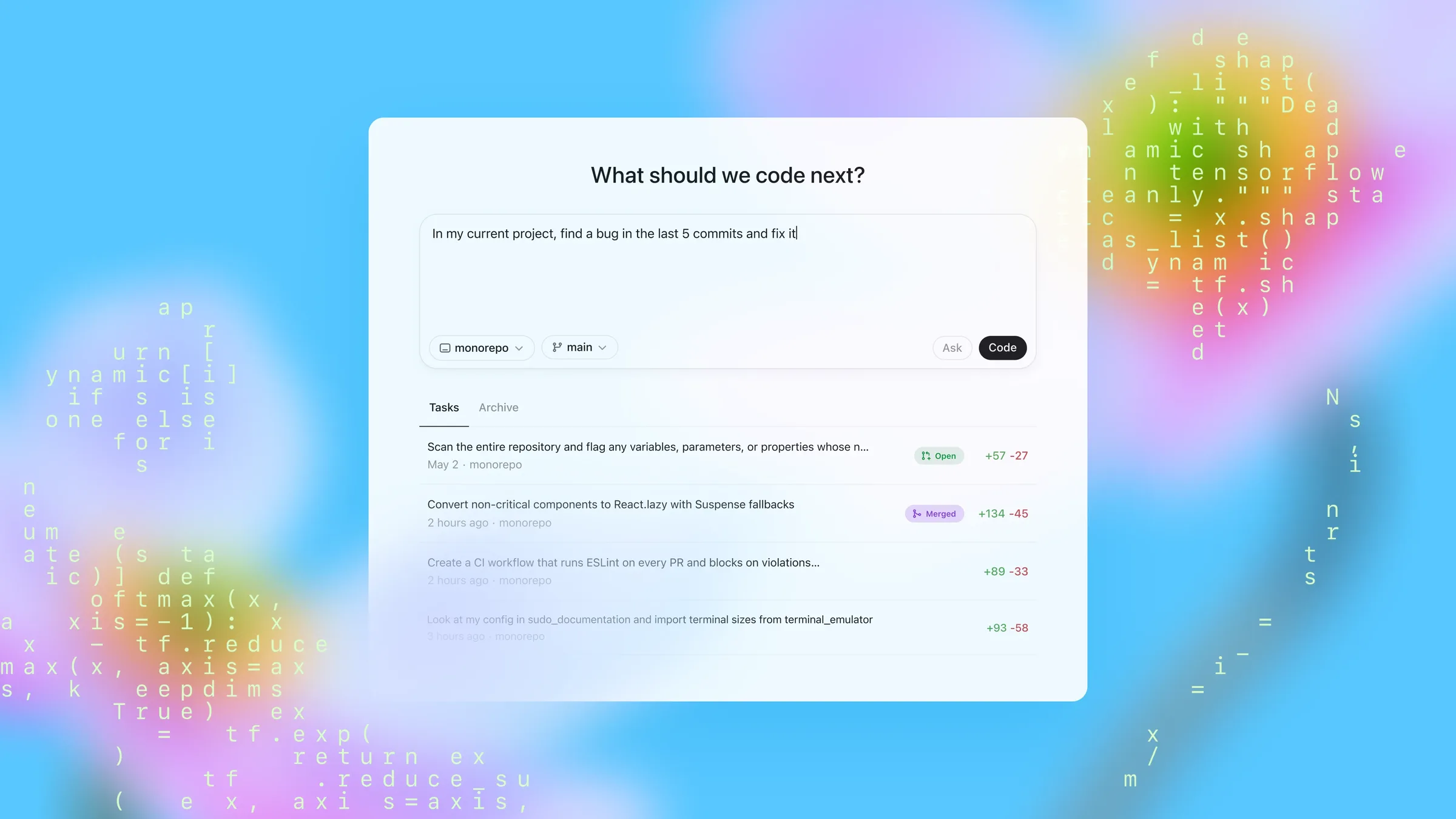
On April 16, 2026, OpenAI published Codex for (almost) everything. The main story is not a single new model release, but a broader expansion of Codex from a terminal coding assistant into a partner that can help across the full software development lifecycle.
According to OpenAI, more than 3 million developers already use Codex every week. This desktop-app update is about pushing Codex beyond writing code into computer use, browser interaction, image generation, long-running automations, memory, pull request review, and remote development workflows.
Note: this page is a detailed editorial rewrite and summary based on the official OpenAI post. It is not a verbatim repost of the original article.
The Biggest Takeaways
At a high level, this release moves Codex in 6 directions:
- Direct computer interaction: Codex can see, click, and type in apps on your computer with its own cursor.
- More native web workflows: the desktop app now includes an in-app browser so you can comment directly on pages.
- Image generation inside the same workflow: Codex can use
gpt-image-1.5for concepts, mockups, and visual iteration. - Deeper developer workflow support: including GitHub review comments, multiple terminal tabs, SSH remote devboxes, and richer file previews.
- Longer-running task continuity: automations can reuse existing threads and continue work later.
- Memory and proactive suggestions: Codex can retain preferences, corrections, and hard-won context, then suggest useful next actions.
Taken together, this is a clear shift from “an AI that writes code” toward a persistent collaborative development agent.
Extending Codex Beyond Coding
OpenAI’s first section focuses on expanding Codex beyond pure coding, especially across desktop apps, the web, and visual workflows.
1. Background Computer Use
Codex can now work through background computer use. In OpenAI’s framing, it can see, click, and type while operating apps on your machine with its own cursor.
For developers, that matters because it can help with things like:
- iterating on frontend changes in a real app
- testing flows in tools that do not expose an API
- running multiple agents in parallel without interrupting your own activity in other apps
That is a meaningful expansion beyond terminal-only agents, because real software work often crosses between repositories, browsers, local tools, admin panels, and desktop software.
2. More Native Web Work
Codex is also starting to work more natively with the web. The desktop app now includes an in-app browser, and you can comment directly on pages to give the agent more precise instructions.
OpenAI calls out these use cases in particular:
- frontend development
- game development
- quickly iterating on web apps running on
localhost
The wording in the announcement suggests this is still early, but the direction is clear: Codex is moving toward fuller browser control rather than only helping around code that happens to power the web.
3. Image Generation in the Same Loop
Codex can now use gpt-image-1.5 to generate and iterate on images. OpenAI highlights use cases such as:
- product concept visuals
- frontend design work
- mockups
- game assets
The important point is not just that Codex can make images. It is that screenshots, visuals, and code can now live inside the same workflow, which makes Codex more useful for product-building tasks that span design and implementation.
4. More Than 90 New Plugins
OpenAI is also releasing 90+ additional plugins. These combine skills, app integrations, and MCP servers so Codex can gather context and take action across more tools.
The announcement specifically highlights several plugins that many developers will care about:
- Atlassian Rovo
- CircleCI
- CodeRabbit
- GitLab Issues
- Microsoft Suite
- Neon by Databricks
- Remotion
- Render
- Superpowers
That is an important signal: OpenAI is not only improving the model, but also expanding Codex as an agent that plugs into the software stack teams already use.
Working Across the Software Development Lifecycle
The second section of the announcement focuses on deeper support for day-to-day developer workflows inside the app.
1. Handling GitHub Review Comments
The app now supports working with GitHub review comments. That matters because it closes the loop between writing code and responding to reviewer feedback.
In practice, that helps Codex participate more naturally in tasks like:
- reading requested changes from reviewers
- jumping between comments and code
- helping implement follow-up fixes
2. Multiple Terminal Tabs
Codex now supports multiple terminal tabs. That sounds small, but it is very practical in real engineering workflows, where developers often need parallel visibility into:
- local service logs
- test runs
- build output
- migration scripts or support commands
A single-terminal agent is limited. Multi-terminal support moves Codex closer to a real working developer cockpit.
3. SSH Access to Remote Devboxes
OpenAI says Codex can now connect to remote devboxes over SSH, currently in alpha.
This matters because many serious engineering environments do not run fully on the local laptop. They often depend on:
- remote Linux development hosts
- cloud devboxes
- isolated staging or test machines
- internal enterprise infrastructure reached through SSH
If Codex can reliably operate in those environments, it becomes much more than a local assistant. It becomes something that can fit into real company infrastructure.
4. Rich File Previews in the Sidebar
The app can now open files directly in the sidebar and provide rich previews for formats including:
- PDFs
- spreadsheets
- slides
- documents
That matters because engineering work is never only about source code. PRDs, specs, experiment notes, QA sheets, and review decks are all part of the actual workflow, and OpenAI is clearly pushing Codex toward handling that broader context.
5. A New Summary Pane
Codex now also includes a summary pane to track:
- agent plans
- sources
- artifacts
This is especially important for transparency. The longer and more cross-tool an agent workflow becomes, the more important it is to clearly expose what the agent is doing, what it relied on, and what it produced.
OpenAI’s broader point is that these improvements make it easier to move between:
- writing code
- checking outputs
- reviewing changes
- collaborating with the agent
all inside one workspace.
Carrying Work Forward Over Time
The third section is one of the most important parts of the post: Codex is being pushed beyond one-off task execution toward longer-running continuity.
1. Automations Can Reuse Existing Threads
OpenAI says automations can now reuse existing conversation threads, preserving context that was built up earlier.
That is important because many real tasks depend on historical context, for example:
- a project that has already gone through several rounds of discussion
- a bug investigation that already uncovered part of the root cause
- a pull request whose context has developed over several days
When Codex can inherit prior thread context, it can continue work instead of reconstructing everything from scratch.
2. Scheduling Future Work
OpenAI also says Codex can now schedule future work for itself and wake up later to continue long-term tasks, potentially across days or weeks.
That is a classic long-horizon agent capability. Good examples include:
- following up on open pull requests
- checking whether tasks received new replies
- tracking ongoing coordination across multiple tools
OpenAI says teams already use automations for work such as:
- landing open pull requests
- following up on tasks
- staying on top of fast-moving conversations in Slack, Gmail, and Notion
3. Memory Preview
This update also introduces a preview of memory. OpenAI says Codex can remember useful context from prior experience, including:
- personal preferences
- corrections
- information that previously took time to gather
The direct benefit is faster task completion and more consistent quality without needing to restate the same context through extensive custom instructions every time.
4. Proactive Next-Step Suggestions
Codex can now also proactively suggest useful follow-up work. It uses:
- project context
- connected plugins
- memory
to recommend what to do next.
OpenAI’s example is that Codex can identify unresolved comments in Google Docs, pull relevant context from Slack, Notion, and your codebase, then produce a prioritized action list to help you start the workday.
If these capabilities mature, Codex moves from a passive command executor toward an agent that helps organize and prioritize work.
Availability
OpenAI gives several concrete rollout notes:
- Starting April 16, 2026, these updates are rolling out to Codex desktop app users who sign in with ChatGPT.
- Personalization features, including context-aware suggestions and memory, will roll out to Enterprise, Edu, and EU / UK users soon.
- Computer use is initially available on macOS, and will also roll out to EU / UK users soon.
So this is not a uniform global release of every feature at once. OpenAI is clearly rolling out capabilities in stages.
What This Update Signals
From the language and feature mix in the announcement, OpenAI is positioning Codex less as a point coding tool and more as a broader development agent platform.
1. From Code Generation to Workflow Execution
The emphasis is no longer just autocomplete, refactoring, or explanation. Codex is being pushed across:
- code
- browsers
- local apps
- images
- files
- team collaboration tools
That suggests OpenAI wants Codex involved in the software delivery process itself.
2. From Single Sessions to Persistent Work
Memory, automation thread reuse, and future scheduling all point toward continuity across time, not just isolated short tasks.
3. From Reactive to Proactive Collaboration
Once Codex can suggest what to do next based on plugins, context, and memory, it is no longer only a tool that waits for commands. It starts to look more like an active collaborator.
Conclusion
The most important thing about Codex for (almost) everything is not any one button or UI feature. It is that Codex’s working boundary is expanding in a very visible way:
- it can interact more directly with computers and browsers
- it can bring image work into the development loop
- it can go deeper into PR review, terminals, remote environments, and document context
- it can keep long-running tasks moving over time
- it can become more personalized and proactive through memory and suggestions
If you previously thought of Codex as “OpenAI’s command-line coding assistant,” this update makes the new direction explicit: OpenAI is turning it into a development workspace agent for coding, verification, collaboration, follow-up, and ongoing execution.
Sources
- OpenAI official post: https://openai.com/index/codex-for-almost-everything/
- OpenAI News RSS: https://openai.com/news/rss.xml